Mynotes
项目创建
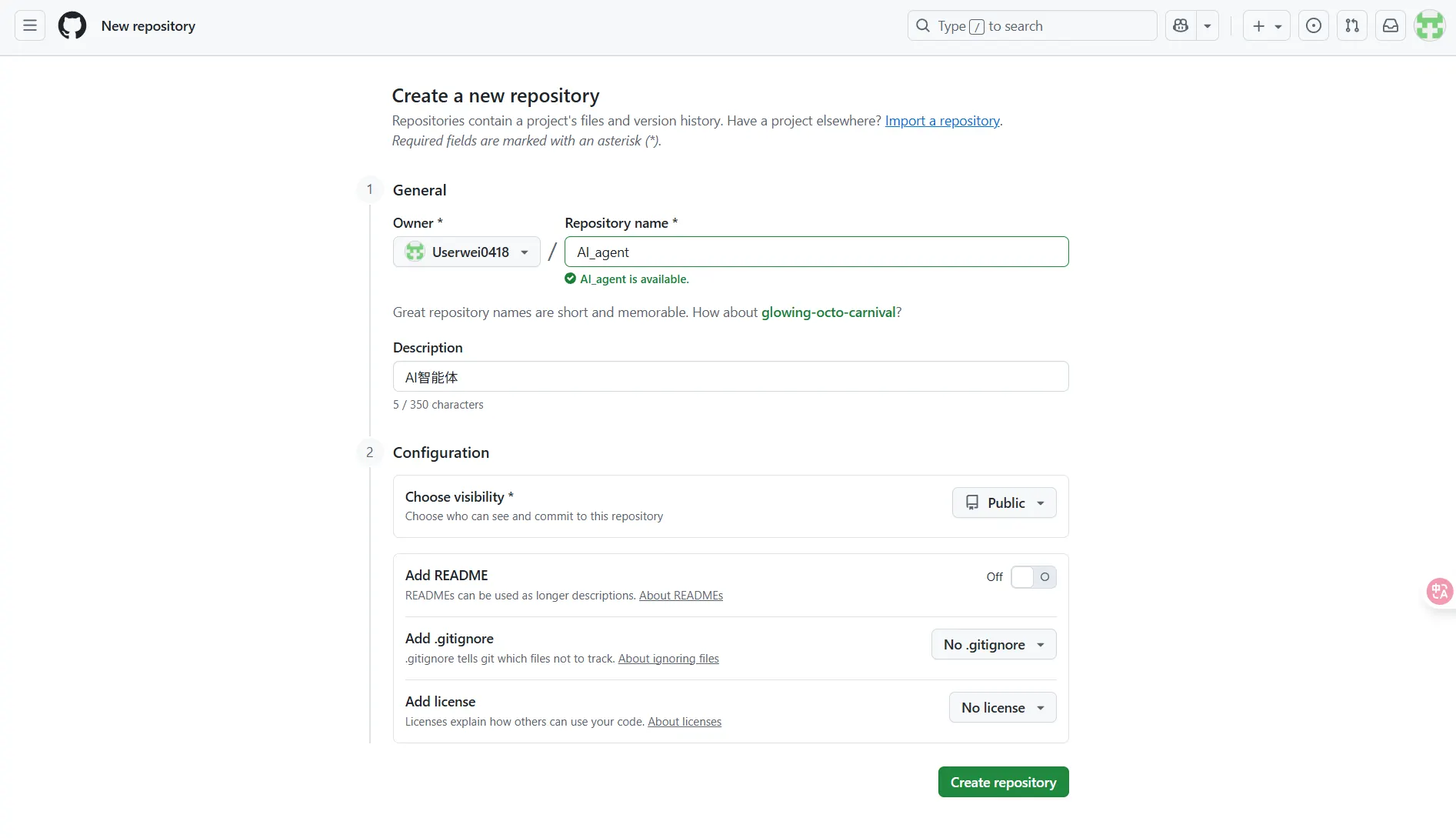
创建github仓库
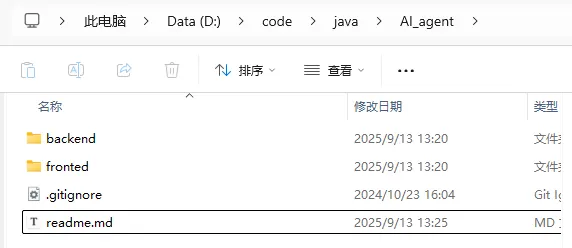
本地代码文件夹创建前后端文件夹以及以下配置文件
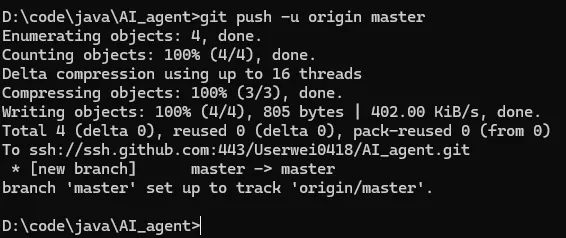
进入仓库地址cmd
git init
git config user.name "Zwww"
git config user.email "zv041118@163.com"
git remote set-url origin ssh://git@ssh.github.com:443/Userwei0418/AI_agent.git
git status
git add .
git status
git commit -m "项目仓库搭建"
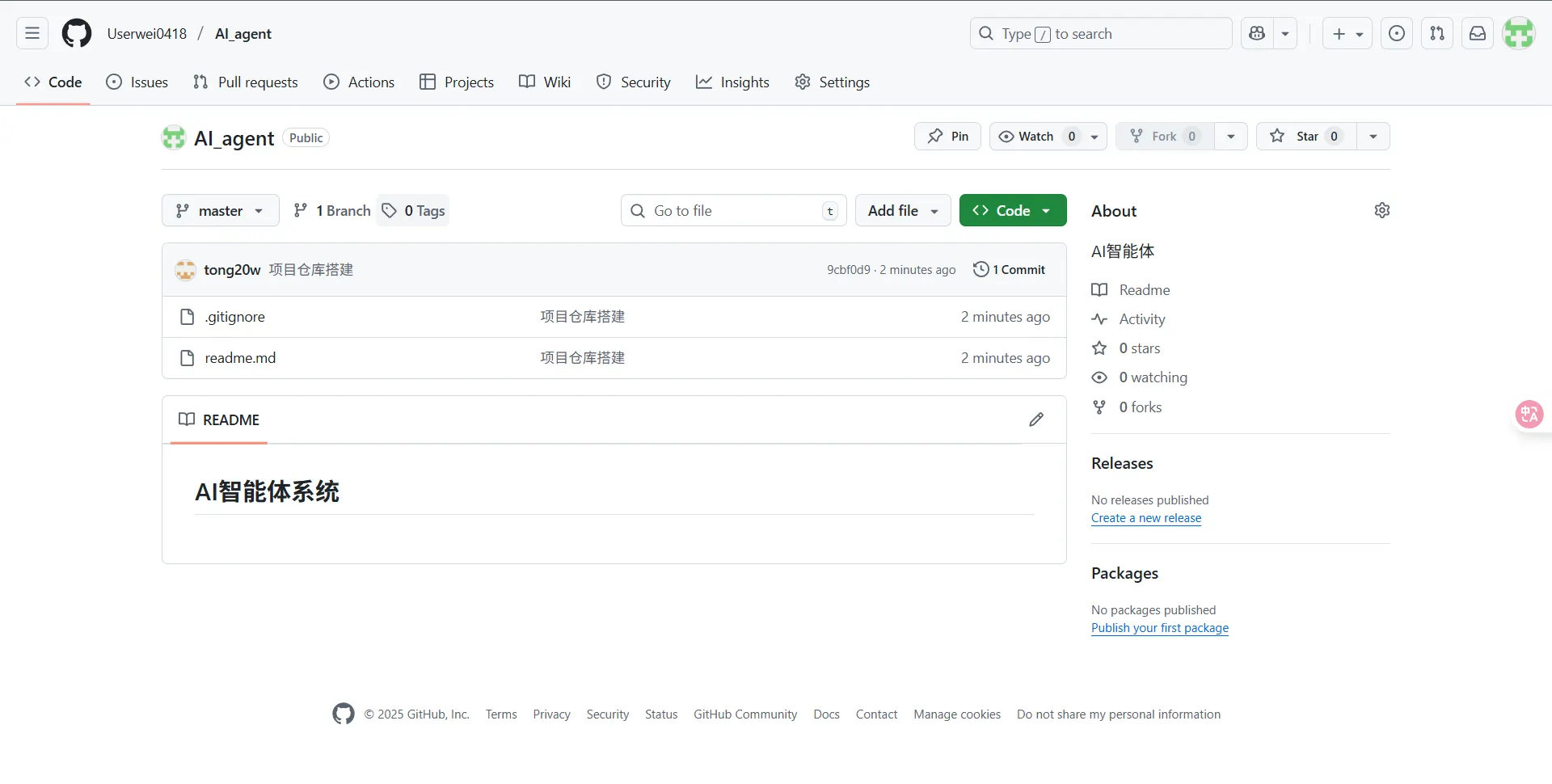
git push -u origin master
后端初始化
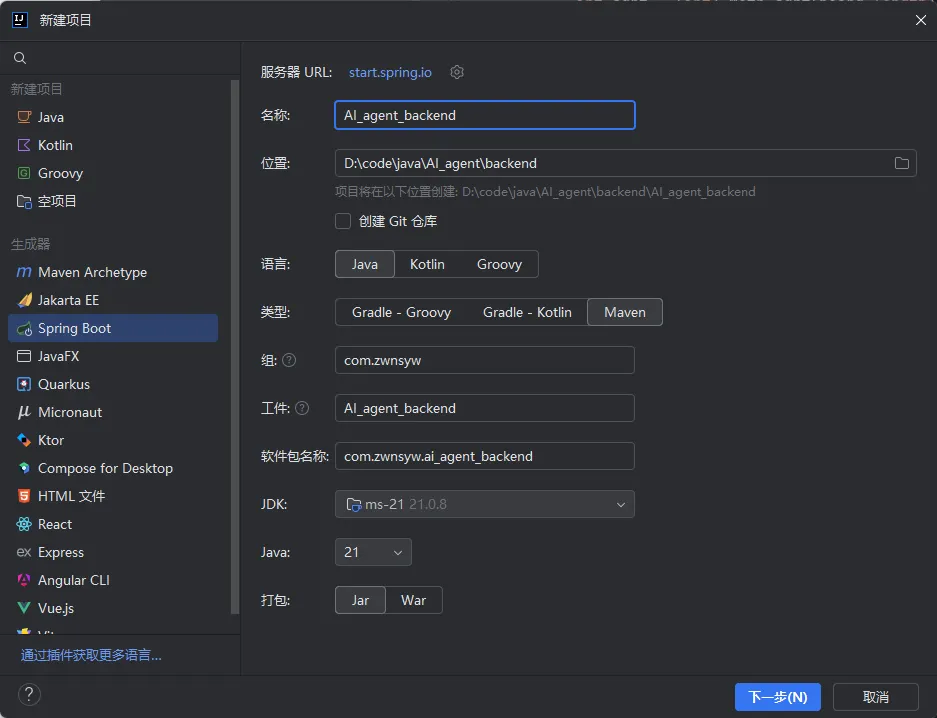
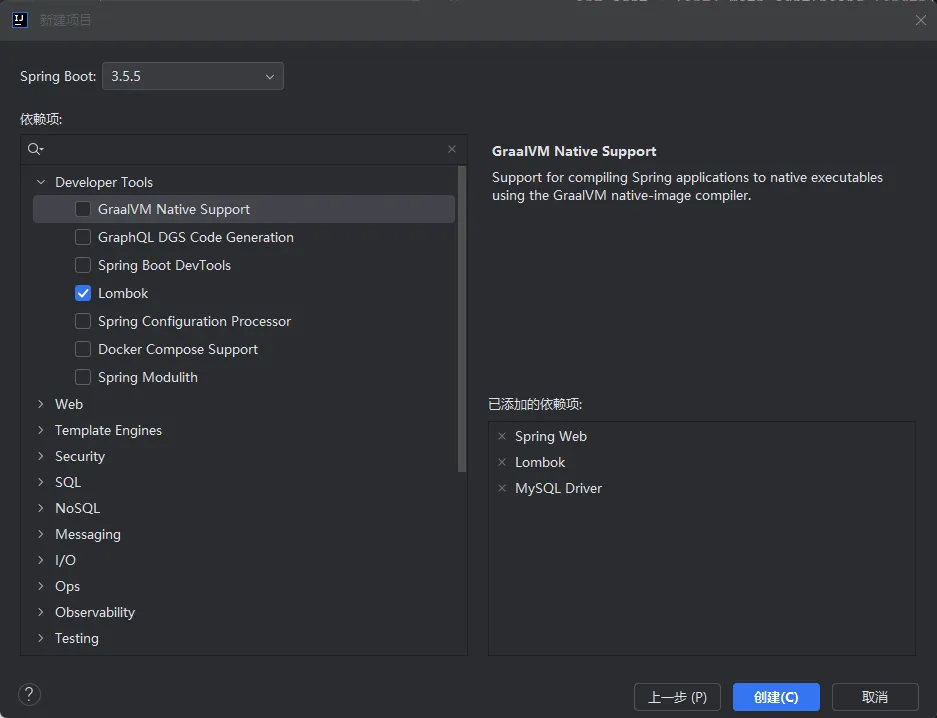
pom.xml
<?xml version="1.0" encoding="UTF-8"?>
<project xmlns="<http://maven.apache.org/POM/4.0.0>" xmlns:xsi="<http://www.w3.org/2001/XMLSchema-instance>"
         xsi:schemaLocation="<http://maven.apache.org/POM/4.0.0> <https://maven.apache.org/xsd/maven-4.0.0.xsd>">
    <modelVersion>4.0.0</modelVersion>
    <parent>
        <groupId>org.springframework.boot</groupId>
        <artifactId>spring-boot-starter-parent</artifactId>
        <version>3.5.5</version>
        <relativePath/> <!-- lookup parent from repository -->
    </parent>
    <groupId>com.zwnsyw</groupId>
    <artifactId>AI_agent_backend</artifactId>
    <version>0.0.1-SNAPSHOT</version>
    <name>AI_agent_backend</name>
    <description>AI_agent_backend</description>
    <url/>
    <licenses>
        <license/>
    </licenses>
    <developers>
        <developer/>
    </developers>
    <scm>
        <connection/>
        <developerConnection/>
        <tag/>
        <url/>
    </scm>
    <properties>
        <java.version>21</java.version>
    </properties>

    <dependencies>
        <!-- spring mvc -->
        <dependency>
            <groupId>org.springframework.boot</groupId>
            <artifactId>spring-boot-starter-web</artifactId>
        </dependency>
        <!--  mysql -->
        <dependency>
            <groupId>com.mysql</groupId>
            <artifactId>mysql-connector-j</artifactId>
            <scope>runtime</scope>
        </dependency>
        <!-- 注解 -->
        <dependency>
            <groupId>org.projectlombok</groupId>
            <artifactId>lombok</artifactId>
            <version>1.18.36</version>
            <optional>true</optional>
        </dependency>
        <!-- 测试 -->
        <dependency>
            <groupId>org.springframework.boot</groupId>
            <artifactId>spring-boot-starter-test</artifactId>
            <scope>test</scope>
        </dependency>
        <!-- hutool工具库 -->
        <dependency>
            <groupId>cn.hutool</groupId>
            <artifactId>hutool-all</artifactId>
            <version>5.8.38</version>
        </dependency>
        <dependency>
            <groupId>com.github.xiaoymin</groupId>
            <artifactId>knife4j-openapi3-jakarta-spring-boot-starter</artifactId>
            <version>4.4.0</version>
        </dependency>

        <!-- AOP切面 -->
        <dependency>
            <groupId>org.springframework.boot</groupId>
            <artifactId>spring-boot-starter-aop</artifactId>
        </dependency>
    </dependencies>

    <build>
        <plugins>
            <plugin>
                <groupId>org.apache.maven.plugins</groupId>
                <artifactId>maven-compiler-plugin</artifactId>
                <version>3.11.0</version>
                <configuration>
                    <source>21</source>
                    <target>21</target>
                    <annotationProcessorPaths>
                        <path>
                            <groupId>org.projectlombok</groupId>
                            <artifactId>lombok</artifactId>
                            <version>1.18.36</version>
                        </path>
                    </annotationProcessorPaths>
                </configuration>
            </plugin>
            <plugin>
                <groupId>org.springframework.boot</groupId>
                <artifactId>spring-boot-maven-plugin</artifactId>
                <configuration>
                    <excludes>
                        <exclude>
                            <groupId>org.projectlombok</groupId>
                            <artifactId>lombok</artifactId>
                            <version>1.18.36</version>
                        </exclude>
                    </excludes>
                </configuration>
            </plugin>
        </plugins>
    </build>

</project>
application.yml
spring:
  application:
    name: ai_agent_backend
server:
  port: 8611
  servlet:
    context-path: /api

# springdoc-openapi
springdoc:
  group-configs:
    - group: 'default'
      packages-to-scan: com.zwnsyw.ai_agent_backend.controller
  api-docs:
    path: /v3/api-docs
  swagger-ui:
    path: /swagger-ui.html

# knife4j
knife4j:
  enable: true
  production: false
  basic:
    enable: false
  setting:
    language: zh_cn
解决接口文档无法打开问题: WebMvcConfig:
package com.zwnsyw.ai_agent_backend.config;

import org.springframework.context.annotation.Configuration;
import org.springframework.web.servlet.config.annotation.EnableWebMvc;
import org.springframework.web.servlet.config.annotation.ResourceHandlerRegistry;
import org.springframework.web.servlet.config.annotation.WebMvcConfigurer;

@Configuration
@EnableWebMvc
public class WebMvcConfig implements WebMvcConfigurer {

    @Override
    public void addResourceHandlers(ResourceHandlerRegistry registry) {
        registry.addResourceHandler("/doc.html")
                .addResourceLocations("classpath:/META-INF/resources/");
        registry.addResourceHandler("/webjars/**")
                .addResourceLocations("classpath:/META-INF/resources/webjars/");
    }
}
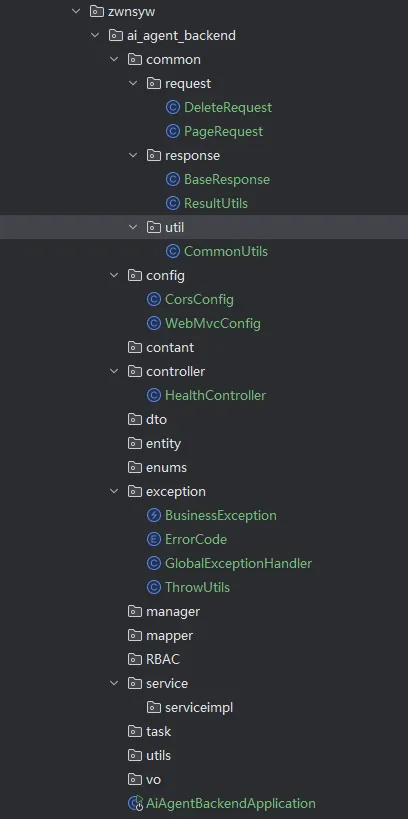
添加通用代码
前端初始化
使用nvm管理node版本
nvm list

此处使用20版本 需要下载
列出可下载的版本
nvm list available
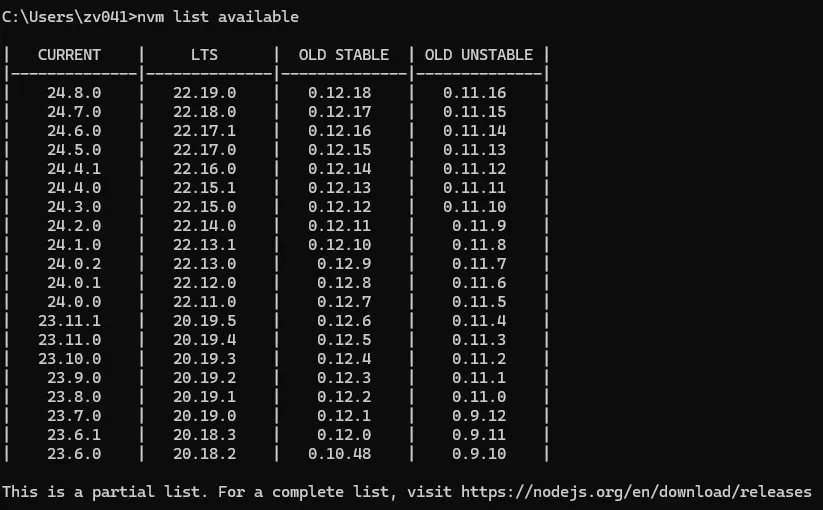
下载并使用20.18.0
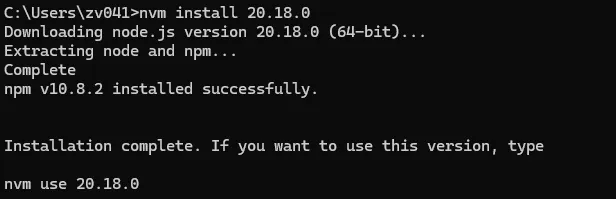
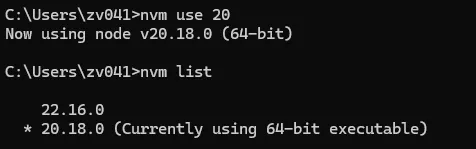
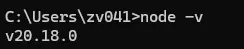
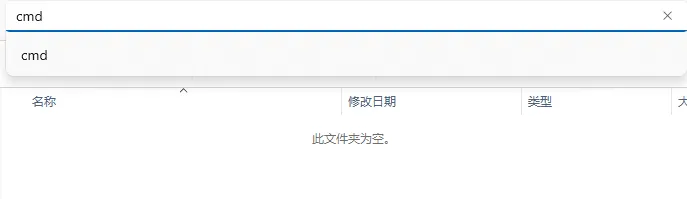
进入前端代码位置 cmd
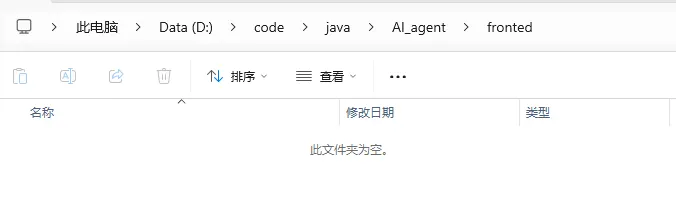
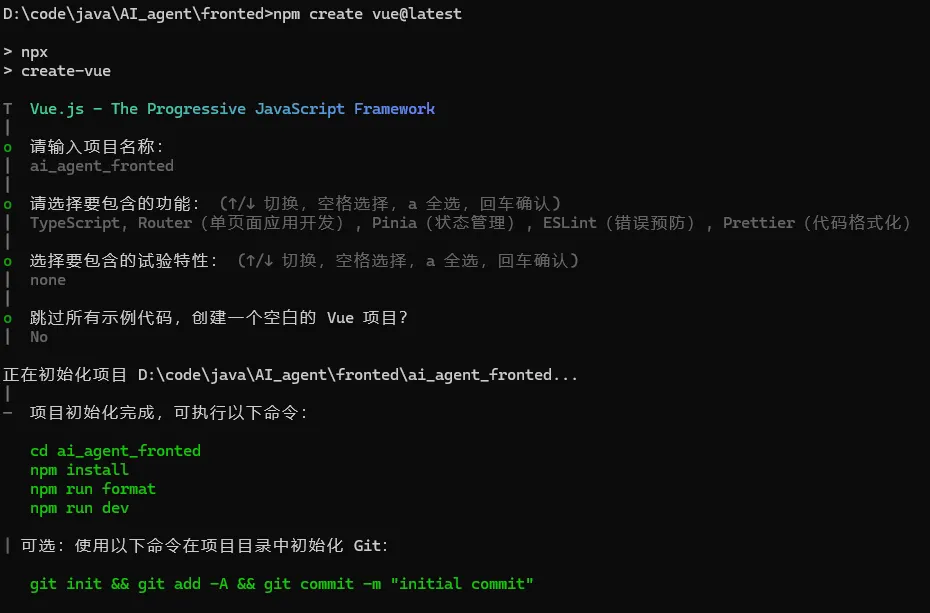
npm create vue@latest
用户与通知等基础模块(可复用)
https://github.com/Userwei0418/AI_agent/commit/7a9c27edd14c94facd08820e79b86d85869c43fd
AI生成应用
设计模式
设计模式.mp4
SSE流式返回
sse流式返回.mp4
项目分区导航:⬅️ 04-项目初始化 | 05-Mynotes | ➡️ 06-AI 生成应用
💬 评论